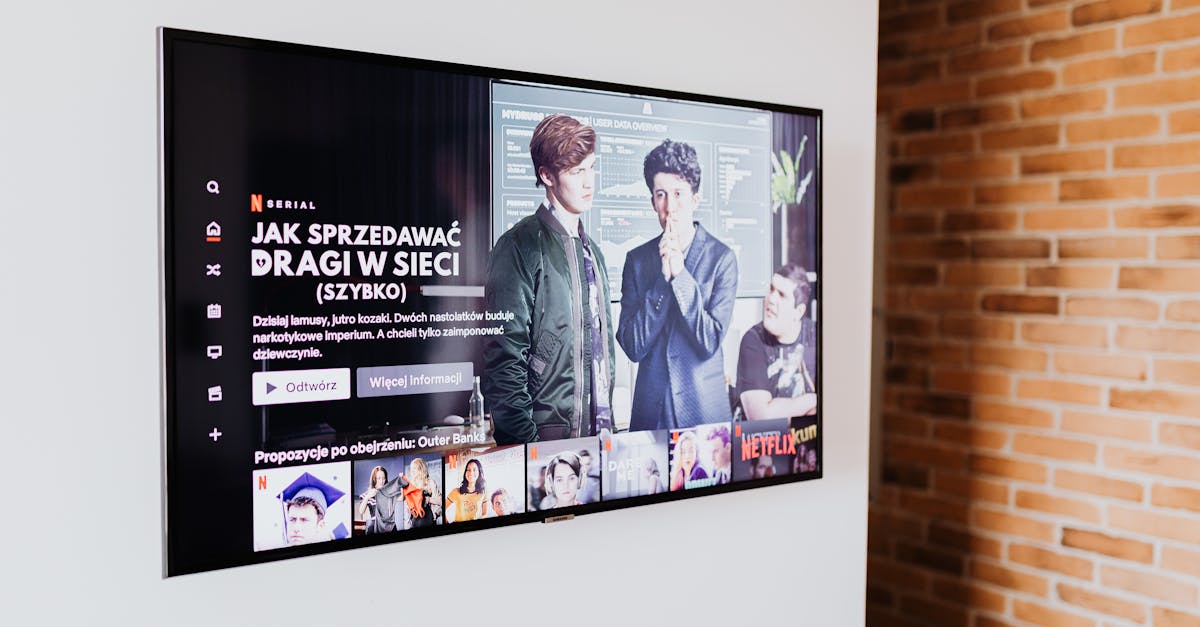
You bought a smart TV for the seamless streaming, the integrated apps, and the promise of a simplified entertainment experience. You envisioned flipping it on and instantly diving into your favorite shows or discovering new content with ease. But in reality, you’ve likely spent more time wrestling with slow interfaces, dealing with unresponsive apps, and wondering why your cutting-edge device feels anything but smart. I’ve been there, thinking I was upgrading my living room, only to find myself debugging more often than enjoying. After years of experimenting with various smart TV platforms and troubleshooting countless issues for myself and friends, I’ve come to realize that the ‘smart’ in smart TV often comes with a significant asterisk. It’s not just user error; there are fundamental reasons these devices consistently underdeliver on their lofty promises.
Key Takeaways
- Smart TV operating systems often lag behind dedicated streaming devices in performance and updates.
- The relentless push for data collection by manufacturers can slow down your TV and compromise privacy.
- Built-in apps frequently suffer from bloatware and receive fewer timely updates compared to external platforms.
- Obsolescence is built-in, with hardware quickly becoming incapable of handling newer software demands.
- Over-reliance on voice assistants can be more cumbersome than using a traditional remote or keyboard.
- Advertising integration often degrades the user experience, forcing unwanted content into your home.
- External streaming devices offer superior processing power, app support, and a longer lifespan, making them a better investment.
Built-In Operating Systems Are Often Underpowered
The biggest hidden culprit behind smart TV frustration is almost always the underpowered operating system. Manufacturers pack these televisions with a smart platform, but they rarely equip them with the robust processors, ample RAM, or optimized software found in dedicated streaming devices like a Roku, Apple TV, or Fire Stick. In my experience, even mid-range smart TVs often run on hardware that feels outdated from day one. This leads to slow boot times, glacial navigation through menus, and infuriating buffering, even on a strong internet connection. For example, I once recommended a friend a popular smart TV model based on its picture quality. Within six months, he was complaining that opening Netflix took nearly a minute, and simply switching between inputs was a multi-step, delayed process. He’d upgraded from a decade-old ‘dumb’ TV with a separate streaming box, and the new ‘smart’ experience felt like a downgrade in responsiveness. The manufacturer’s priority is often the panel itself, not the computational horsepower required for a truly fluid software experience. This hardware limitation means that no amount of software updates can fundamentally transform a sluggish smart TV into a snappy one. It’s like trying to run complex video editing software on a budget laptop from 2010 – it’s simply not built for the task, no matter how many patches are applied. The cost savings are passed on to you as a less responsive, more frustrating daily experience.
Manufacturers Collect Too Much User Data
Another significant, and often overlooked, reason smart TVs falter is the aggressive data collection practices of their manufacturers. Your smart TV isn’t just a screen; it’s a data-gathering device. This might sound conspiratorial, but it’s a well-documented reality. Many smart TV brands track your viewing habits, app usage, and even specific interactions with the TV’s interface. This data is then aggregated and sold to advertisers or used to personalize your content recommendations – often to the detriment of performance. The constant background processes dedicated to this data collection consume valuable system resources. Picture it: your TV is trying to run a streaming app smoothly while simultaneously monitoring everything you do and transmitting that information. This dual workload taxes the already limited hardware, leading to further slowdowns, freezes, and general unresponsiveness. What changed everything for me was when I started paying attention to the privacy policies of these devices. Disabling as many tracking features as possible, while often buried deep in obscure settings, sometimes offered a marginal improvement in performance. However, the mistake I see most often is assuming that opting out is straightforward or even fully possible. It’s a fundamental conflict of interest: manufacturers want your data, but harvesting it actively degrades the user experience they promised.
Built-In Apps Suffer from Bloatware and Lack Timely Updates
Think about the apps on your smartphone. They’re regularly updated, optimized, and generally perform well because a dedicated team constantly works on them for a single, focused platform. Smart TV apps, however, are a different story. They’re often developed by third parties to run across a multitude of diverse and underpowered smart TV operating systems, leading to a ‘lowest common denominator’ approach to app development. This results in apps that are often bloated with unnecessary features, lack specific optimizations for your particular TV model, and are notoriously slow to receive updates. I recall a period where a major streaming service’s app on a popular smart TV platform was plagued with bugs for months, crashing repeatedly during playback. Users with external streaming devices experienced none of these issues because the app was updated promptly on their more robust hardware. This discrepancy highlights a critical flaw: manufacturers have little incentive to keep their built-in app ecosystem polished once the TV has left the factory floor. They’ve already made the sale. This bloatware and lack of consistent, timely updates directly contribute to the choppy performance and general frustration of using a smart TV’s native apps. You’re left with an experience that feels neglected and perpetually behind the curve.
Built-In Obsolescence and Slow Performance Degradation
The lifespan of a modern television’s display panel can easily exceed a decade, delivering vibrant images for years. However, the ‘smart’ components of these TVs suffer from a far shorter, often unspoken, expiration date. This is built-in obsolescence. While the screen remains perfectly functional, the integrated smart operating system and its underlying hardware quickly become outdated and incapable of keeping pace with evolving software demands. In my experience, this performance degradation typically becomes noticeable within three to five years. Apps that once ran acceptably slow now crawl, newer streaming services may not even be supported, and security updates become sparse or non-existent. This means you’re forced into a dilemma: either endure a progressively frustrating ‘smart’ experience or invest in an external streaming device, essentially turning your smart TV into a very expensive ‘dumb’ monitor. The mistake I see most often is people buying a new smart TV solely because their old one’s ‘smart’ features stopped working, even though the display itself is perfectly fine. What changed everything for me was recognizing this pattern and decoupling the display technology from the smart features. I now advise people to invest in the best picture quality they can afford, and plan to use an external streaming device from day one, rather than relying on the TV’s built-in intelligence.
Voice Assistants Often Provide More Annoyance Than Help
The promise of controlling your TV with your voice sounds incredibly futuristic and convenient. No more fumbling for the remote, just a simple command to change the channel or find a movie. In practice, however, the voice assistants built into many smart TVs often prove to be more of a hindrance than a help. From my perspective, the technology is rarely as refined as dedicated smart speakers or smartphone assistants. Common issues include poor microphone sensitivity, misinterpreting commands, and taking an unacceptably long time to process requests. I’ve personally spent frustrating minutes repeating commands, only to resort to picking up the remote anyway. For example, trying to quickly pause a show to answer the door can turn into a frantic struggle as the TV misunderstands ‘pause’ for ‘power off’ or ‘play next episode.’ The latency can be particularly irksome; by the time the TV understands and executes your command, you could have already achieved the desired action with a few button presses. The mistake I see most often is people persisting with voice commands out of a desire to use the ‘smart’ feature they paid for, rather than accepting that it’s simply not efficient. What changed everything for me was realizing that the simplest, most direct input method is often the best, and for TVs, that still means a physical remote, or a connected keyboard for search functions.
Aggressive Advertising and Unskippable Promos
One of the most insidious ways smart TVs degrade the user experience is through the aggressive integration of advertising and unskippable promotional content. What began as subtle suggestions has evolved into full-screen takeover ads, prominent banners, and even integrated video spots that interrupt your navigation or greet you every time you turn on the device. Manufacturers are increasingly using their smart platforms as an additional revenue stream, turning your living room into a billboard. In my experience, this goes beyond mere inconvenience. It actively detracts from the premium entertainment experience you paid for. Imagine settling down to watch a movie, only to be forced to sit through a slow-loading, full-screen ad for a new streaming service or product before you can even get to the app you want. I once encountered a smart TV where the home screen was almost entirely populated by sponsored content, pushing actual app icons into a secondary, less accessible position. The mistake I see most often is people tolerating this as a necessary evil of ‘free’ smart features, when in reality, you’ve already paid for the hardware, and the ads are simply an additional monetization strategy. What changed everything for me was realizing that opting for a dedicated streaming device often provides a cleaner, ad-free interface, restoring control over my viewing environment and eliminating these unwanted intrusions.
External Streaming Devices Offer Superior Performance and Longevity
Given the numerous shortcomings of built-in smart TV features, the most effective solution for a truly ‘smart’ and satisfying entertainment experience lies in external streaming devices. Think of your smart TV as simply a high-quality display, and then pair it with a dedicated streaming box. These devices are purpose-built for streaming. They boast significantly more powerful processors, more RAM, and highly optimized operating systems (like Roku OS, tvOS, or Fire OS). This means lightning-fast app launches, buttery-smooth navigation, and consistent, timely software updates. For example, I’ve had external streaming devices that cost less than $100 last for five or more years, providing a consistently excellent experience, while the smart features of a $1,000+ TV from the same era struggled to keep up. The mistake I see most often is people using their built-in smart TV features because they’re ‘free’ or already there, not realizing they’re sacrificing performance and future-proofing. What changed everything for me was making the conscious decision to treat my TV as a monitor and invest in a quality external streamer. This approach offers a far more responsive, reliable, and longer-lasting smart experience, divorcing your entertainment interface from the planned obsolescence of your TV’s integrated software.
Frequently Asked Questions
Why is my smart TV so slow even with fast internet?
Your smart TV’s slowness is often due to its underpowered internal processor and limited RAM, which struggle to keep up with demanding apps and background data collection, even if your internet connection is robust. Dedicated streaming devices typically have superior hardware for a smoother experience.
Can I disable smart features on my smart TV?
Yes, you can often disable many smart features, including some data collection settings and app auto-starts, by navigating through your TV’s settings menu. However, the extent of control varies by manufacturer, and some core smart functionalities may not be fully deactivable.
Is it better to use a dedicated streaming device or my smart TV’s apps?
For most users, a dedicated streaming device (like a Roku, Apple TV, or Fire Stick) offers a significantly better experience. They provide superior processing power, more frequent and optimized app updates, a cleaner interface with fewer ads, and a longer lifespan for their ‘smart’ functionality compared to built-in TV apps.
How often do smart TVs receive software updates?
Smart TV manufacturers typically provide less frequent software updates compared to dedicated streaming devices or mobile phones. Major OS updates might be rare, and app updates can often lag, leading to performance issues and compatibility problems over time.
Do smart TVs collect my viewing data?
Yes, most smart TVs collect extensive viewing data, app usage, and other interaction data. This information is often used for targeted advertising and content recommendations. You can usually find options to manage or limit this data collection within your TV’s privacy settings.```
Est. reading time: 12 min read
Filed By
Eleanor Vance
Productivity & Time Management
A former lifestyle editor with a keen eye for efficiency and personal development.